Schema Markup Generator: The Complete Guide to Structured Data
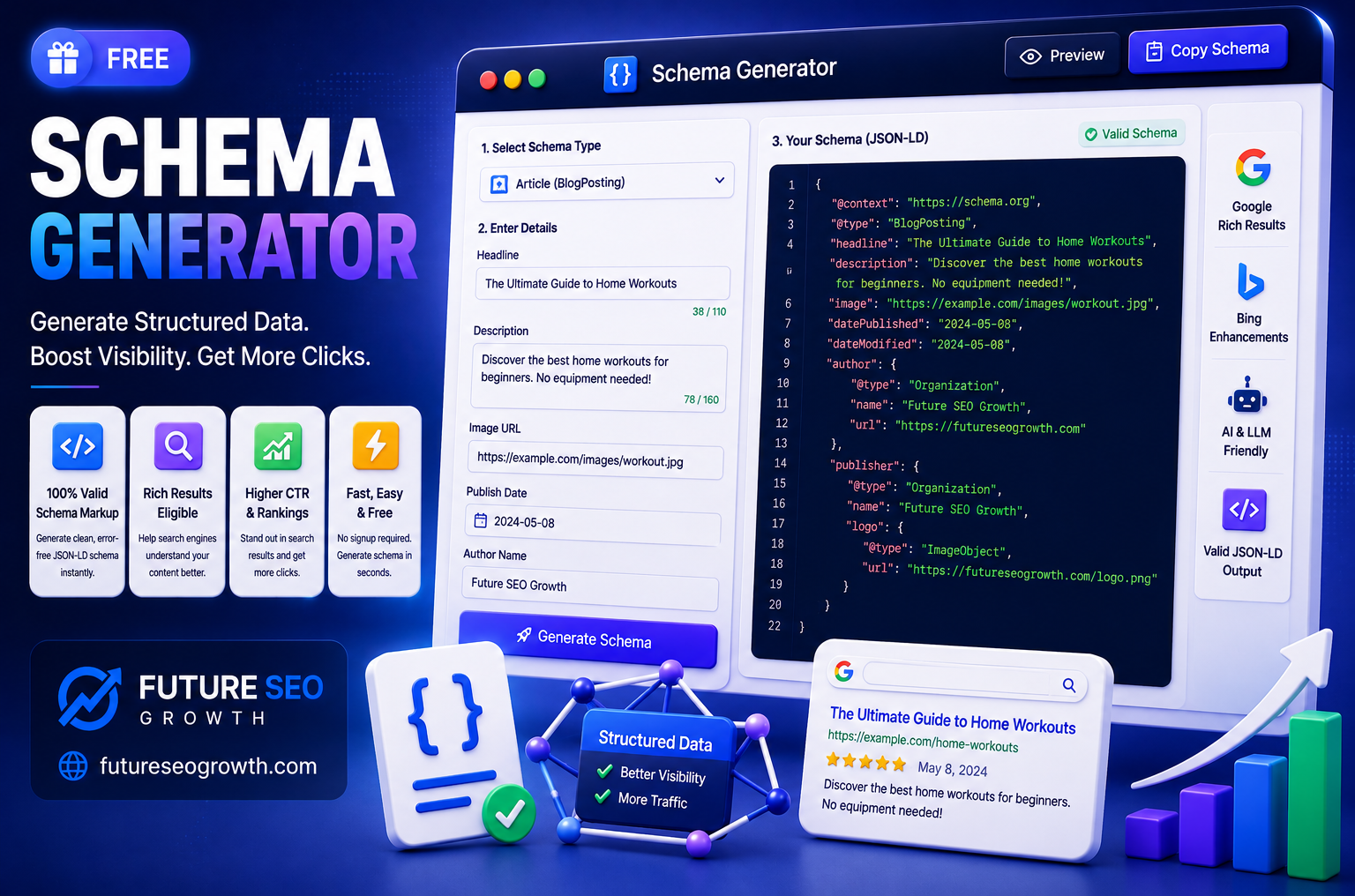
Schema markup is one of the most powerful SEO tools that most sites still use badly, or not at all.
Add it correctly and you help search engines understand exactly what your page is, a recipe, a product, a business, a set of questions. That understanding can earn you richer search listings, better relevance, and a real edge in the AI answers that increasingly shape how people find you.
Add it wrong, and you get validation errors, missed opportunities, or in the worst case a manual penalty.
This guide is the complete, practical walkthrough: what schema markup is, the difference between the formats, every major type and when to use it, how to write and validate it, and how to generate it correctly in minutes. Whether you are marking up your first page or cleaning up a whole site, by the end you will know exactly what to do.

What Is Schema Markup?
Schema markup is a standardised vocabulary of code that you add to your web pages to help search engines understand their content and context.
Ordinary HTML tells a browser how to display your content. Schema markup tells a machine what that content actually means. A page might show the text 4.8 stars, 240 reviews, $29. To a human that is obvious. To a search engine, schema is what confirms that 4.8 is a rating, 240 is a review count, and $29 is a price, rather than three random numbers.
The vocabulary comes from Schema.org, a shared project backed by Google, Microsoft, Yahoo and Yandex. Because all the major search engines agreed on it, the same markup works across all of them. When you describe your content with this shared vocabulary, you remove the guesswork and let search engines classify your page with confidence.
Why Schema Markup Matters for SEO
Schema is not a direct ranking factor in the way that quality content and links are. Its value is subtler and, in 2026, increasingly important.
It can earn rich results. Structured data is what makes those enhanced search listings possible: star ratings, FAQs, recipe cards, event details, breadcrumb trails. These take up more space and attract more clicks than a plain blue link.
It improves relevance and context. When a search engine understands precisely what your page is about, it can match it to the right queries more confidently. Clarity helps rankings even when no rich result appears.
It powers AI search. This is the big shift. AI systems like ChatGPT, Perplexity and Google AI Overviews rely on structured, clearly labelled content to understand and cite sources. Clean schema makes your content easier for them to parse, which directly supports your AI search visibility and your content citability.
It builds an entity understanding of your brand. Organisation and other schema types help search engines build a clear picture of who you are, which strengthens trust signals over time.
JSON-LD vs Microdata: Which Format to Use
Schema can be written in three formats, but you really only need to care about one.
JSON-LD is the format Google recommends. It sits in a single script block, usually in the page head, completely separate from your visible HTML. It is clean, easy to manage, and easy to generate. This is what you should use.
Microdata is the older approach, where you weave schema attributes directly into your HTML tags. It works, but it is messy, harder to maintain, and clutters your markup.
RDFa is a third option, similar to Microdata in that it is embedded in HTML. It is rarely the best choice for SEO.
The short version: use JSON-LD. Google prefers it, it keeps your code clean, and every good generator outputs it. The rest of this guide uses JSON-LD throughout.
What Schema Markup Looks Like
Here is a simple, valid example: Article schema for a blog post, in JSON-LD. This is the shape almost all schema takes.
“@context”: “https://schema.org”,
“@type”: “Article”,
“headline”: “Schema Markup Generator: The Complete Guide”,
“author”: {
“@type”: “Organization”,
“name”: “Future SEO Growth”
},
“datePublished”: “2026-08-14”,
“image”: “https://example.com/image.jpg”
}
Every schema block follows this pattern. @context points to the Schema.org vocabulary, @type declares what kind of thing the page is, and the remaining properties describe it. Nested objects, like the author here, use their own @type. Once you recognise this structure, every schema type becomes a variation on the same theme.
The Main Schema Types and When to Use Them
Schema.org has hundreds of types, but a handful cover almost everything most sites need. Here is when to reach for each.
| Schema type | Use it for | Rich result potential |
|---|---|---|
| Article | Blog posts, news, guides | Article and top stories features |
| Product | Ecommerce product pages | Price, availability, review stars |
| LocalBusiness | Physical business and location pages | Knowledge panel, map details |
| FAQPage | Pages with question and answer lists | Limited in 2026, still helps AI |
| HowTo | Step by step tutorials | Reduced in 2026, still aids clarity |
| Review and AggregateRating | Reviews and rating summaries | Star ratings in results |
| Organization | Your brand and company identity | Knowledge panel, entity trust |
| BreadcrumbList | Site navigation hierarchy | Breadcrumb trail in results |
| Event | Concerts, webinars, conferences | Event listings with dates |
| Recipe | Cooking and food content | Recipe cards with images |
A single page often uses more than one type. This very post could carry Article schema for the page, BreadcrumbList for navigation, and FAQPage for its questions. That is normal and encouraged, as long as each type genuinely matches visible content on the page. We have dedicated guides for two of the trickier ones: our FAQ schema generator guide and our HowTo schema generator guide.
How to Generate Schema Markup Step by Step
Writing schema by hand is possible but error prone, one missing comma or bracket invalidates the whole block. A generator produces clean, valid code every time. Here is the workflow with our free tool.
- Step 1: Open the generator. Go to our free Schema Generator.
- Step 2: Choose your schema type. Pick the type that matches your page, Article, Product, LocalBusiness and so on.
- Step 3: Fill in the details. Enter the relevant fields, such as headline, author, price or address. The tool shows you which properties matter.
- Step 4: Copy the JSON-LD. The generator builds valid, copy ready code as you type.
- Step 5: Add it to your page. Paste the script into your page HTML, ideally server rendered so AI crawlers, which often do not run JavaScript, can read it.
- Step 6: Validate before you rely on it. Always test the output, covered next.
If you need specific types, we also offer dedicated FAQ schema and HowTo schema generators, plus a meta tag generator for the rest of your on page setup.
How to Validate Your Schema Markup
Never publish schema without testing it. Invalid markup can be silently ignored, or worse, flagged. Two free tools catch nearly every problem.
- Google Rich Results Test. Paste your URL or code to confirm it is valid and see which rich results, if any, it qualifies for. This is the one that tells you about Google specific eligibility.
- Schema.org Validator. The official validator, stricter and more general. It flags structural errors even where no rich result applies, which makes it ideal for catching mistakes.
Run both after any change. The most common issue they surface is a mismatch between your schema and your visible content, which is the rule most likely to cause trouble. Your markup must describe what is actually on the page, not what you wish were there.
The Honest 2026 Reality of Rich Results
A quick reality check, because a lot of schema advice online is stuck in 2019.
Google has steadily reduced which schema types earn visual rich results. FAQ rich results were cut back in 2023 to authoritative health and government sites. HowTo rich results were reduced around the same time. So adding FAQ or HowTo schema will usually not give a typical business site those visual enhancements anymore.
Does that make schema pointless? Not at all, and this is the part that matters. Rich results were only ever one benefit. Schema still improves how search engines understand your content, and it has become genuinely important for AI systems that read structured data to decide what to cite. The visual dropdown was nice, but content clarity and AI readiness are the durable wins. Add schema for understanding, and treat any rich result as a bonus rather than the goal.
How Schema Fits Into a Modern SEO Strategy
Schema markup works best as part of a system, not a one off task. Think of it as the connective layer that makes the rest of your SEO legible to machines.
Your content answers the user question. Your internal links show how pages relate. Your technical setup makes everything crawlable. Schema sits on top of all of it, translating what you have built into a vocabulary search engines and AI systems trust. A brilliant page with no structured data still ranks, but it makes the machine work harder to understand it. A brilliant page with clean schema removes the guesswork.
This is why we treat structured data as a core part of technical SEO rather than an optional extra. When we audit a site, missing or broken schema is one of the most common quick wins we find, pages that already deserve to rank better, held back by a machine that cannot fully read them. If you want that handled properly across your whole site, our SEO service covers it end to end.
Why Schema Is Becoming Essential for AI Search
If there is one reason to take schema seriously in 2026, it is this: the systems answering people questions have changed, and they lean on structured data more than traditional search ever did.
When someone asks ChatGPT, Perplexity or Google AI Overviews a question, the system does not simply rank ten links. It reads content, extracts facts, and assembles an answer, then decides which sources to trust and cite. Structured data makes that extraction dramatically easier. A price marked up as a price, an author marked up as an author, a rating marked up as a rating, these remove ambiguity at exactly the moment an AI is deciding whether to rely on you.
Content without schema can still be understood, but it forces the machine to infer. Content with clean schema states its meaning outright. As more discovery shifts into AI answers, that difference compounds. The sites that get cited will tend to be the ones that made themselves easiest to understand, and schema is one of the most direct ways to do that. It is the same thinking behind our AIO and GEO service, which treats structured, machine readable content as the foundation of AI visibility rather than an afterthought.
In short, schema used to be about winning a richer listing on Google. Increasingly, it is about being understood and cited by the tools that are quietly becoming the new front page of the internet. That shift is why generating and maintaining clean schema is no longer a nice to have, it is part of staying visible.
Adding Schema on WordPress and Shopify
How you add schema depends on your platform. Here is the practical guidance for the two most common.
WordPress. You have options. SEO plugins like Rank Math and Yoast generate common schema types automatically, Article, Organization, breadcrumbs and more, often with little setup. For anything custom or more specific, a generator gives you exact control: create the JSON-LD and add it with a code block, a snippet plugin, or your theme header. Many sites use both: the plugin for the basics, a generator for the special cases.
Shopify. Most Shopify themes include some Product schema by default, but it is frequently incomplete or missing fields that matter, like reviews or availability. This is where a generator helps you build a complete Product or Organization block that you can add through your theme code or a schema app. Given how much ecommerce visibility depends on Product rich results, it is worth getting this right rather than trusting the theme default.
Whatever the platform, the rule is the same: generate valid markup, make sure it matches your visible content, and validate before you publish.
Common Schema Markup Mistakes to Avoid
- Marking up content that is not visible. Your schema must match what users actually see on the page. Marking up hidden or absent content breaks Google guidelines and can trigger a manual action.
- Using the wrong type. Product schema on a blog post, or Article schema on a shop page, confuses search engines. Match the type to the page.
- Skipping validation. Publishing untested schema is the fastest way to ship silent errors. Always run it through a validator.
- Leaving required properties out. Each type has properties Google needs to show a rich result. A generator prompts you for them so you do not miss any.
- Letting schema go stale. Prices, dates and availability change. Schema pointing at outdated information is worse than none.
- Overdoing it. Only mark up what is genuinely on the page. Adding every possible type in the hope of more rich results looks manipulative and helps nobody.
Generate Valid Schema Markup in Minutes
Schema markup is one of those rare SEO wins that is both high impact and fully within your control. It helps search engines understand your pages, opens the door to richer listings, and, more than ever, makes your content readable to the AI systems shaping the future of search.
You do not need to write a line of code by hand. Pick your type, fill in the details, and let our free Schema Generator build clean, valid JSON-LD in minutes. Validate it, add it to your page, and you are done. Explore our full set of free SEO tools, or if you would like an expert team to handle technical SEO and structured data across your whole site, get in touch for a free consultation.
Frequently Asked Questions
What is a schema markup generator?
It is a tool that builds valid structured data code, usually JSON-LD, for your pages without you writing it by hand. You choose a type like Article or Product, fill in the details, and our free Schema Generator produces copy ready markup.
Is the schema generator free?
Yes. Our Schema Generator is completely free with no signup, alongside our other free SEO tools.
What format should schema markup be in?
JSON-LD. Google recommends it because it sits in a single script block separate from your HTML, which keeps your code clean and easy to maintain. Microdata and RDFa are older, messier alternatives you can generally avoid.
Does schema markup improve SEO rankings?
Not directly, but it helps search engines understand your content, can earn rich results, and supports AI search visibility. That clearer understanding often improves how well your pages match relevant searches.
Which schema type should I use?
Match the type to your page: Article for blog posts, Product for shop pages, LocalBusiness for location pages, FAQPage for question lists. A single page can use several types as long as each matches visible content.
How do I test my schema markup?
Use the Google Rich Results Test to check validity and rich result eligibility, and the Schema.org Validator for stricter structural checking. Always validate after any change and confirm the markup matches your visible content.
Do I need schema markup on WordPress or Shopify?
It helps on both. SEO plugins on WordPress and default Shopify themes cover some schema, but often incompletely. A generator lets you fill the gaps with complete, valid markup for the types that matter most to you.
Ready to grow your rankings?
Get a free consultation and a tailored growth plan for your business.
Get free consultationContinue reading
Related articles

SEO for Doctors: How Medical Practices Get Found by Patients
SEO for doctors explained: local search, reviews and HIPAA, condition and treatment pages, medical directories, Google Ads and how to measure new patients.

SEO for Contractors and Home Services: A Practical Guide
SEO for contractors, plumbers, electricians, roofers and landscapers: Google Business Profile, reviews, service pages, local keywords and how to measure calls.
The Best SEO for Law Firms: What Actually Brings In Cases
A practical guide to the best SEO for law firms: practice area pages, attorney bios, local search, legal directories and the bar advertising rules most guides ignore.
Get growth playbooks in your inbox
Join our newsletter for practical SEO, link building, and AI-search tactics.